Accessibility at Zindi Finance
At Zindi Finance, we are committed to ensuring that our website is accessible to everyone, including individuals with disabilities. We strive to adhere to the Web Content Accessibility Guidelines (WCAG) 2.1 Level AA to provide an inclusive and user-friendly experience for all our users in Uganda. This page outlines the accessibility features we have implemented to enhance usability for people with disabilities. We welcome feedback on how we can improve our website's accessibility. Please contact our accessibility team at accessibility@zindifinance.ug or call us at +256 715 153297 with any suggestions or concerns.
Keyboard Navigation
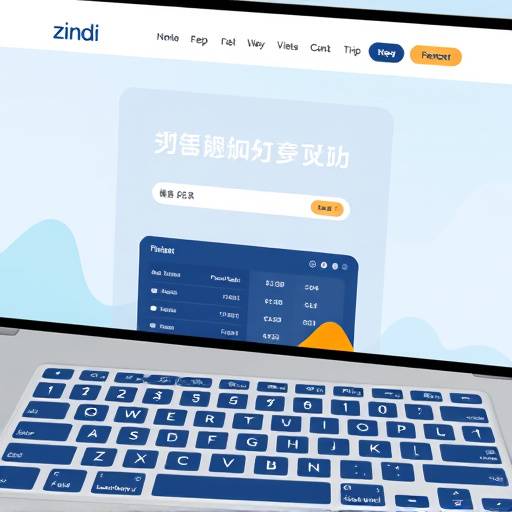
Our website is designed to be fully navigable using only a keyboard. Users can use the
Tab
key to move between interactive elements, such as links, buttons, and form fields. Use
Shift + Tab
to navigate backward. The
Enter
key activates links and buttons, while arrow keys can be used within certain elements like dropdown menus.
We have ensured that the focus order is logical and intuitive, making it easy for keyboard users to understand the structure and flow of the website.
Screen Reader Compatibility
We have implemented semantic HTML and ARIA (Accessible Rich Internet Applications) attributes to ensure that our website is compatible with screen readers such as NVDA, JAWS, and VoiceOver. Screen readers can accurately interpret the content and structure of our pages, providing a meaningful experience for users who are blind or visually impaired.
All images have descriptive alternative text (alt text) to convey their meaning to screen reader users. Form fields are properly labeled, and error messages are clear and concise. Dynamic content updates are announced to screen readers using ARIA live regions.
Text Resizing
Users can easily adjust the text size on our website using their browser settings. The website is designed to reflow content gracefully when the text size is increased, ensuring that all information remains readable and accessible.
To resize text, users can typically use the following keyboard shortcuts:
-
Ctrl + +(Windows) orCmd + +(Mac) to increase the text size. -
Ctrl + -(Windows) orCmd + -(Mac) to decrease the text size. -
Ctrl + 0(Windows) orCmd + 0(Mac) to reset the text size to the default.
Color Contrast
We have carefully selected color palettes that provide sufficient contrast between text and background colors. This ensures that content is easily readable for users with low vision or color blindness. We have used tools to verify that our color contrast ratios meet WCAG 2.1 Level AA requirements.
The primary color, a vibrant blue (#3498db), and the secondary color, a lush green (#2ecc71), are chosen to complement each other while providing clear differentiation for users. The text color is a dark gray (#333), ensuring high contrast against the light background (#f4f4f4).
Alternative Text
All images on our website include descriptive alternative text (alt text). This text provides a textual description of the image, which is read by screen readers and displayed when the image cannot be loaded. Meaningful alt text helps users understand the content and purpose of the image, even if they cannot see it.
Our team at Zindi Finance, including content creator Najjuma Aisha and accessibility specialist Kato Sserunkuuma, meticulously craft each alt text to accurately reflect the image's content and context. For example, an image showcasing mobile payment options in Kampala, Uganda would have alt text like "Person using a mobile phone to make a payment in a market in Kampala, Uganda."
Accessible Forms
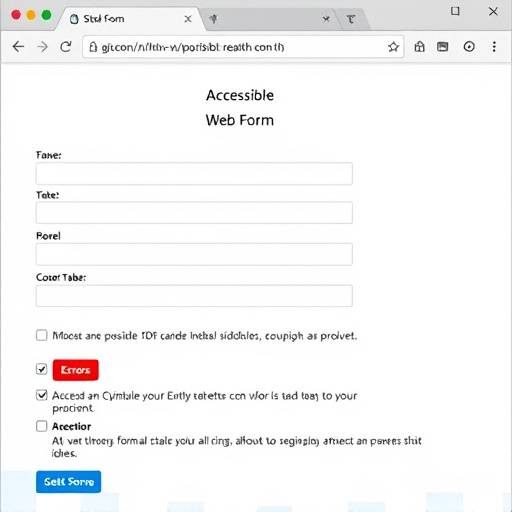
All forms on the Zindi Finance website are designed with accessibility in mind. Each form field is properly labeled using the
element, ensuring that screen reader users can easily understand the purpose of each field. We also use ARIA attributes to provide additional context and instructions where needed.
Error messages are displayed clearly and concisely, with instructions on how to correct the errors. We avoid using color alone to indicate errors, as this can be problematic for users with color blindness. Instead, we use a combination of color, icons, and text to ensure that error messages are accessible to all users.
Consistent Navigation
The navigation structure of the Zindi Finance website is consistent across all pages, making it easy for users to find the information they need. The main navigation menu is located at the top of each page, and a footer with additional links is provided at the bottom of each page.
We use clear and descriptive link text, avoiding ambiguous phrases like "click here." Each link provides a clear indication of where the user will be taken when they click on it. We also use ARIA landmarks to define the different sections of each page, such as the main content, navigation, and footer, allowing screen reader users to quickly navigate to the desired section.
Zindi Finance is continuously working to improve the accessibility of our website. We conduct regular accessibility audits and incorporate feedback from our users to ensure that our website remains accessible to everyone. We are committed to empowering financial futures in Uganda for all.