Mobile Payments: Your Guide to Managing Money in Uganda
Welcome to Zindi Finance's comprehensive guide on mobile payments in Uganda. In today's fast-paced world, mobile money has revolutionized the way Ugandans manage their finances. From sending and receiving money to paying bills and accessing loans, mobile payments offer a convenient and secure alternative to traditional banking. This guide will provide you with the knowledge and skills you need to navigate the world of mobile money effectively and safely.
Introduction to Mobile Money in Uganda
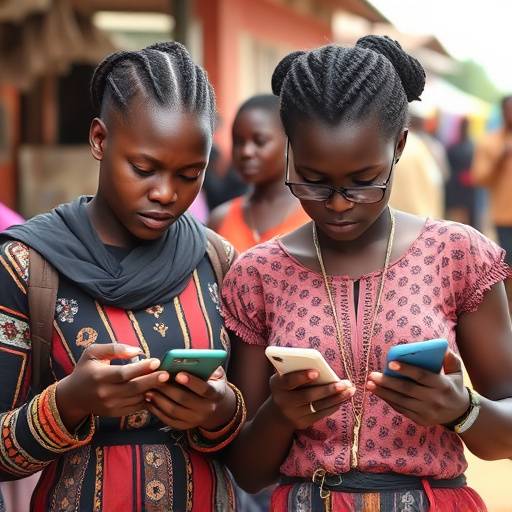
Mobile money has become an integral part of the Ugandan financial landscape, driven by high mobile phone penetration and a need for accessible financial services. Services like MTN Mobile Money and Airtel Money dominate the market, offering Ugandans a way to transact without the need for a bank account. This has been particularly beneficial for those in rural areas, where access to traditional banking is limited.
The impact of mobile money extends beyond simple transactions. It has fostered financial inclusion, empowered small businesses, and facilitated the growth of e-commerce. Mobile money platforms also offer a range of services, including savings accounts, insurance products, and access to credit, thereby contributing to the overall economic development of Uganda.
Setting up a Mobile Money Account
Setting up a mobile money account is a straightforward process. Here's a step-by-step guide:
- Choose a Mobile Money Provider: The two major providers in Uganda are MTN Mobile Money and Airtel Money. Consider factors such as network coverage, service fees, and the availability of agents in your area.
- Register Your Account: Visit a registered mobile money agent with your national ID (or any valid form of identification). The agent will assist you with the registration process, which typically involves providing your personal details and phone number.
- Activate Your Account: Once registered, you will receive an SMS with a temporary PIN. Follow the instructions to change the PIN and activate your account.
- Familiarize Yourself with the Platform: Explore the mobile money menu by dialing the designated USSD code (*165# for MTN Mobile Money, *185# for Airtel Money). Learn how to check your balance, deposit money, withdraw money, and send money.
Sending and Receiving Money via Mobile Money
Sending and receiving money are the core functions of mobile money. Here's how it works:
Sending Money:
- Access the mobile money menu by dialing the USSD code.
- Select the "Send Money" option.
- Enter the recipient's phone number.
- Enter the amount you wish to send.
- Confirm the transaction details, including the recipient's name and the amount.
- Enter your PIN to authorize the transaction.
- You and the recipient will receive an SMS confirming the transaction.
Receiving Money:
- You will receive an SMS notification when someone sends you money.
- To access the money, you do not need to do anything. The funds are automatically credited to your mobile money account.
- You can then withdraw the money at an agent, use it to make payments, or save it in your account.
Security Tips for Mobile Payments
While mobile money offers convenience, it's crucial to prioritize security to protect your funds and personal information. Here are some essential security tips:
- Keep Your PIN Secret: Never share your PIN with anyone, including mobile money agents or customer service representatives. Memorize your PIN and avoid using easily guessable numbers like your birthdate or phone number.
- Be Wary of Phishing Scams: Be cautious of unsolicited calls or messages requesting your PIN or other personal information. Legitimate mobile money providers will never ask for your PIN.
- Verify Transaction Details: Always double-check the recipient's phone number and the amount before confirming a transaction.
- Protect Your Phone: Secure your phone with a strong password or PIN. Consider using a phone with biometric authentication (fingerprint or facial recognition).
- Report Suspicious Activity: If you suspect fraudulent activity on your account, immediately report it to your mobile money provider.
- Regularly Check Your Balance: Monitor your account balance and transaction history to identify any unauthorized transactions.
- Use Strong Passwords: If you access your mobile money account online or through an app, use a strong, unique password and enable two-factor authentication whenever possible.
Managing Mobile Money Transactions Effectively
Effective management of your mobile money transactions can contribute to better financial control. Here are some tips:
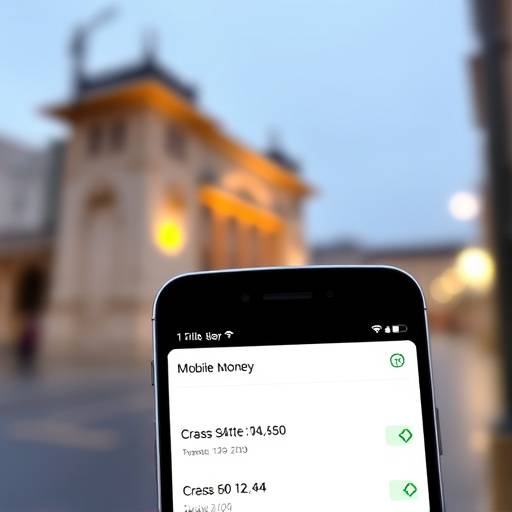
- Budget Your Mobile Money Usage: Track your mobile money transactions to understand where your money is going. Create a budget to allocate funds for different purposes, such as airtime, utilities, and savings.
- Utilize Mobile Money for Savings: Many mobile money platforms offer savings accounts with attractive interest rates. Consider using these accounts to save for your financial goals.
- Pay Bills Conveniently: Use mobile money to pay your utility bills, school fees, and other recurring expenses. This can save you time and effort compared to traditional payment methods.
- Keep Records of Transactions: Maintain a record of your mobile money transactions, either through screenshots or by printing out your transaction history. This will help you track your spending and resolve any disputes.
- Avoid Overspending: Mobile money makes it easy to spend impulsively. Be mindful of your spending habits and avoid using mobile money to finance unnecessary purchases.
- Explore Other Financial Services: Investigate other financial services available through mobile money, such as insurance products and microloans. These services can help you manage your risks and achieve your financial goals.
- Stay Informed: Keep up-to-date with the latest developments in the mobile money industry, including new features, security threats, and regulatory changes.
Example Transactions
Here are a few examples of how you can use mobile money in your daily life:
- Paying for groceries at a local market: Many vendors now accept mobile money payments, making it convenient to shop without carrying cash.
- Sending money to family members in rural areas: Mobile money provides a fast and reliable way to support your loved ones, even if they don't have access to a bank account.
- Paying your electricity bill: Avoid long queues by paying your electricity bill directly from your mobile phone.
- Buying airtime: Top up your phone credit quickly and easily using mobile money.
- Saving for your child's education: Set aside a portion of your income in a mobile money savings account to secure your child's future.
Mobile Money Fees
Be mindful of transaction fees associated with mobile money services. These fees can vary depending on the provider, the type of transaction, and the amount being transacted. Compare the fees of different providers and choose the most cost-effective option for your needs. Keep in mind that withdrawing money from an agent usually incurs a fee.
| Transaction Type | MTN Mobile Money Fees | Airtel Money Fees |
|---|---|---|
| Sending Money (UGX 1,000 - UGX 5,000) | UGX 150 | UGX 120 |
| Sending Money (UGX 5,001 - UGX 10,000) | UGX 300 | UGX 250 |
| Withdrawing Money (UGX 1,000 - UGX 5,000) | UGX 200 | UGX 180 |
| Withdrawing Money (UGX 5,001 - UGX 10,000) | UGX 400 | UGX 350 |
Zindi Finance is committed to empowering Ugandans with the knowledge and tools they need to achieve financial success. By following the tips and guidelines in this guide, you can use mobile payments safely and effectively to manage your money and improve your financial well-being.